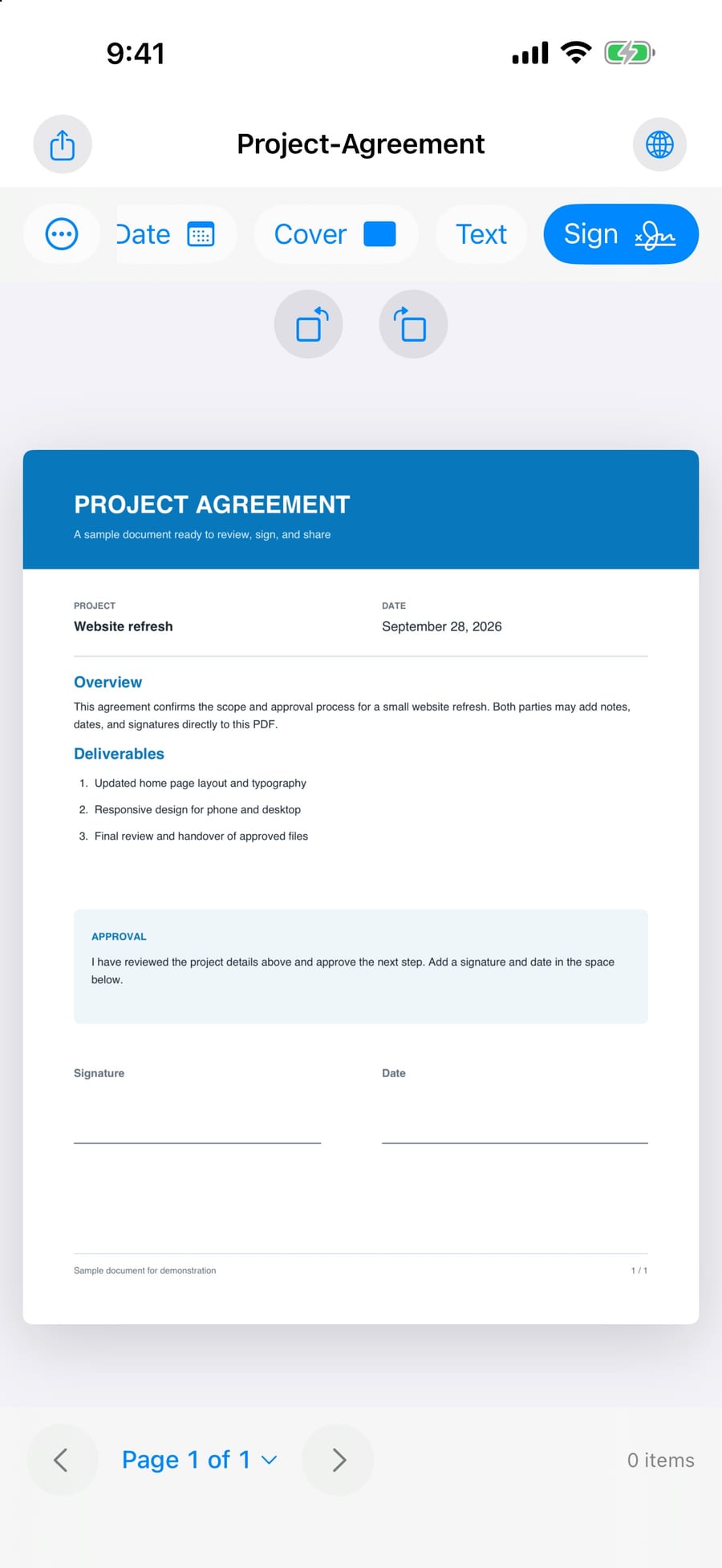
Sign with pen or finger
Draw a signature with Apple Pencil or your finger, or import one from Photos or Files. Signatures are saved locally and reused with a tap.
Qutubsi Apps builds small, focused tools that process your documents locally. No document uploads, no accounts, no tracking. Just software that respects what you put in it.

Sign, organize, scan and protect PDFs. Privately.
Sign and manage PDFs without sending your documents to a server. Your files stay on your device until you choose to share them.

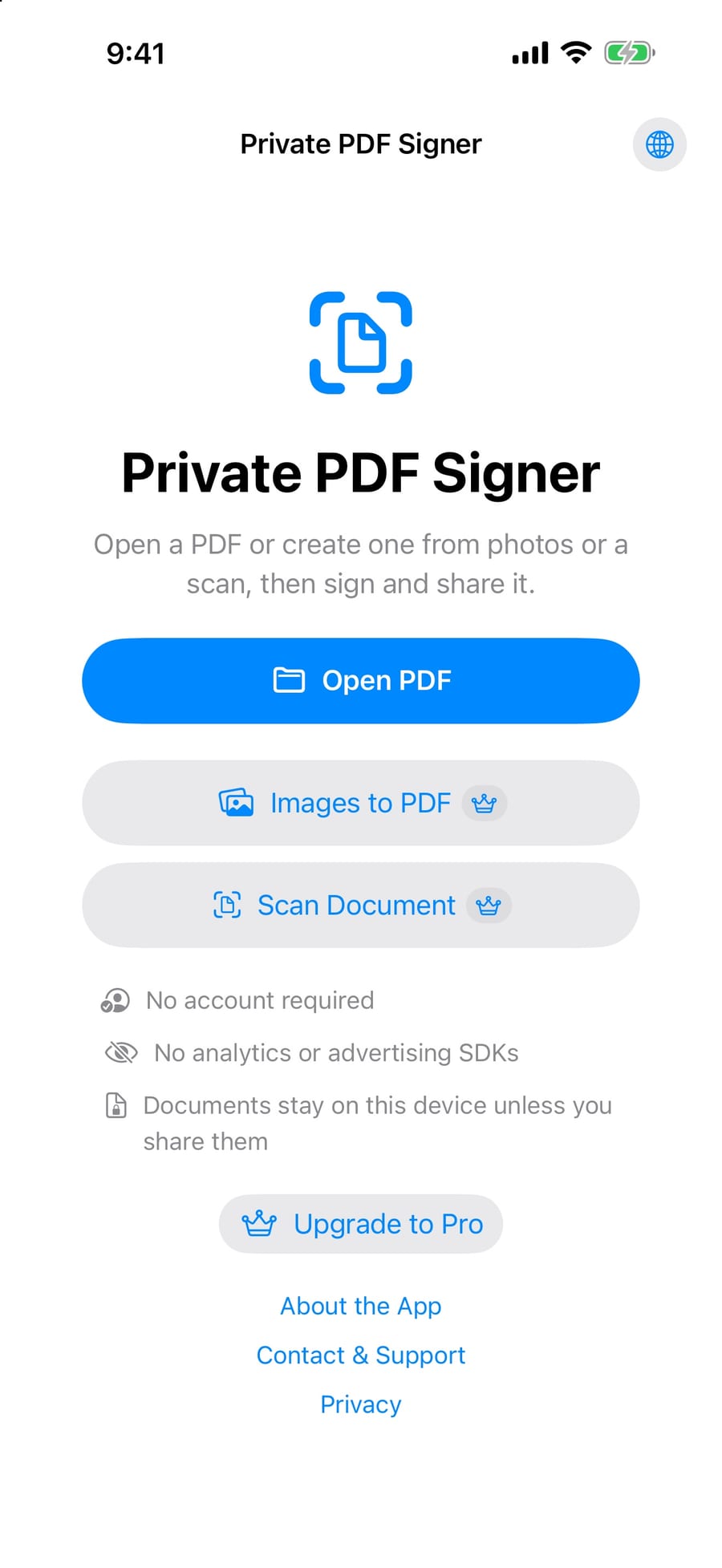
Open a PDF from Files, Mail or any app's share sheet. Sign it, fill it, clean it up, protect it, and send it on. All on the device.
Draw a signature with Apple Pencil or your finger, or import one from Photos or Files. Signatures are saved locally and reused with a tap.
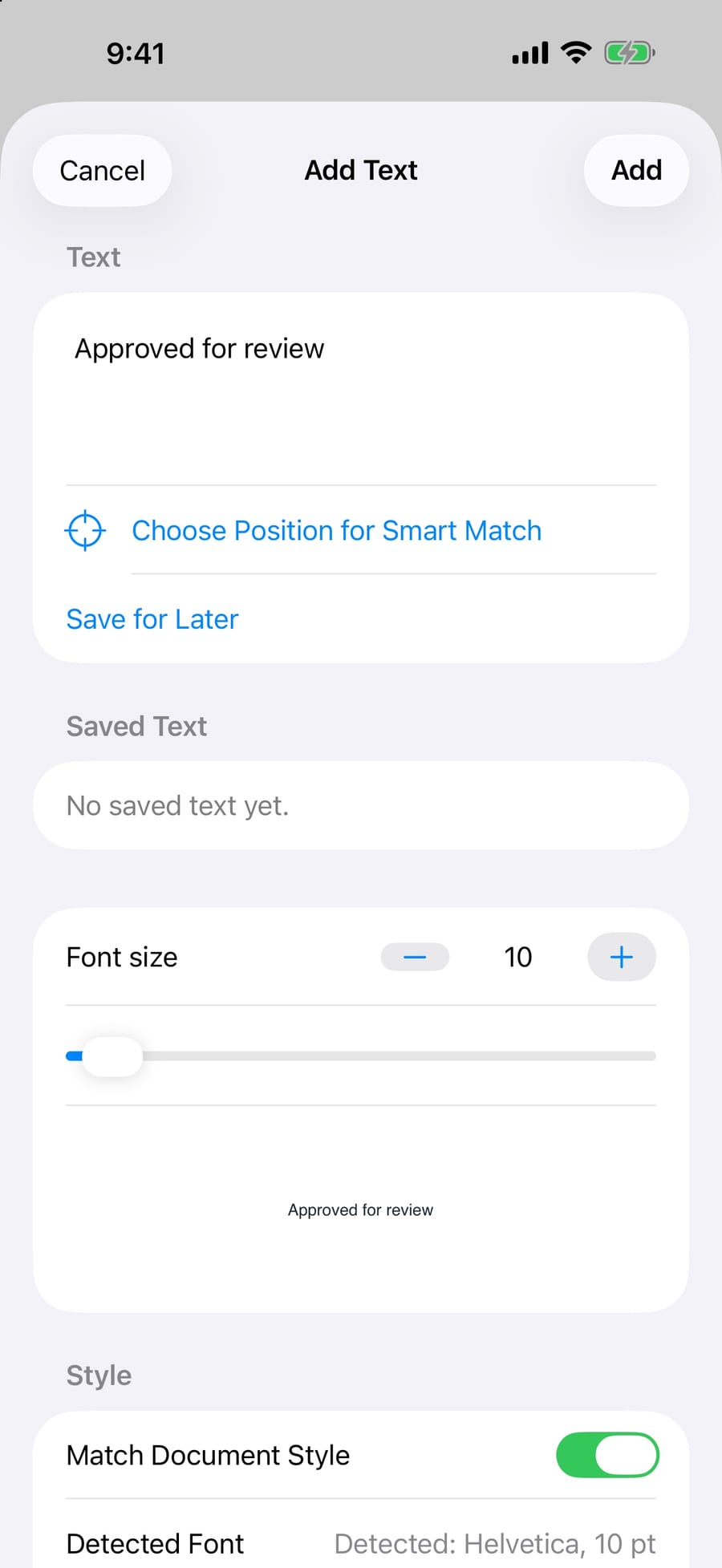
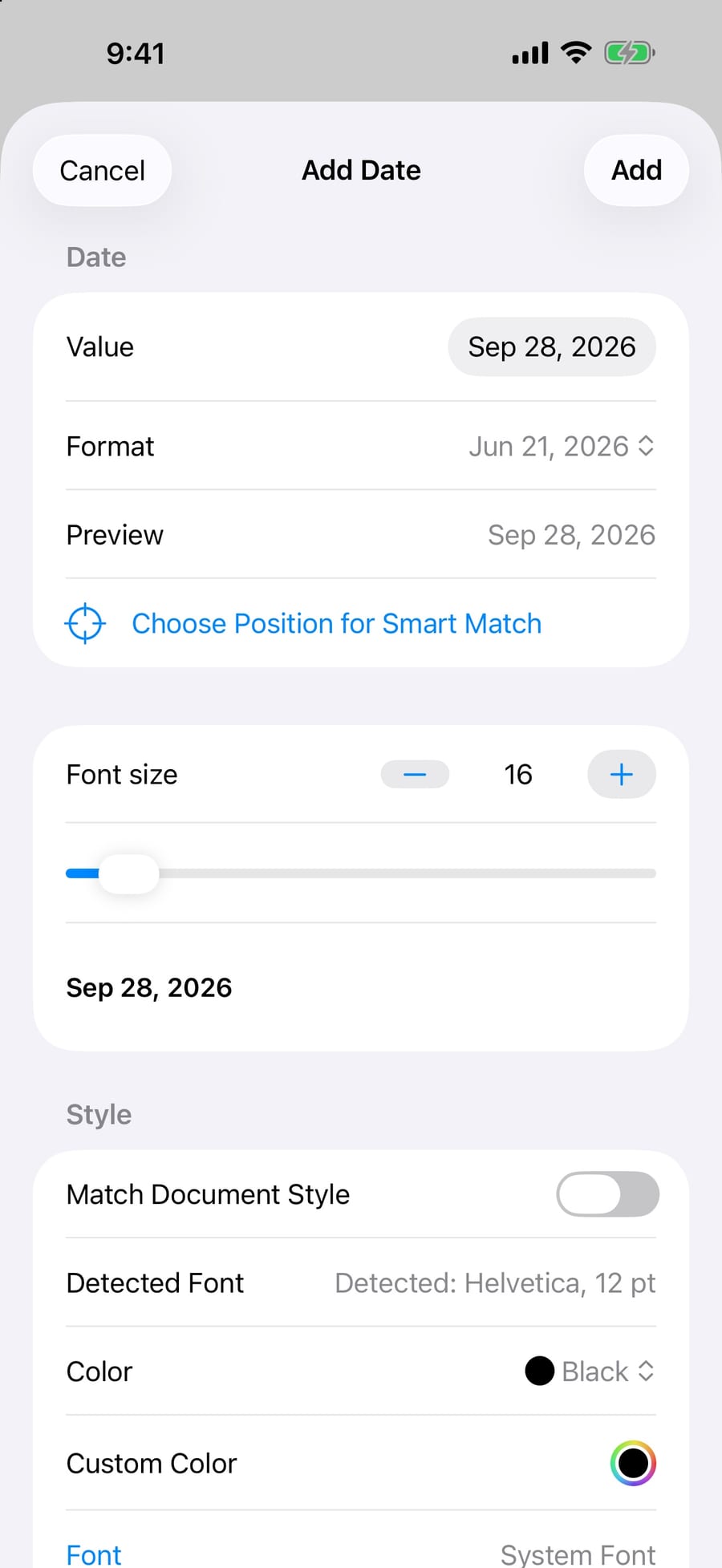
Add text and dates that look like they were printed there. Match Document Style detects the surrounding font and size, and matches the paper background.
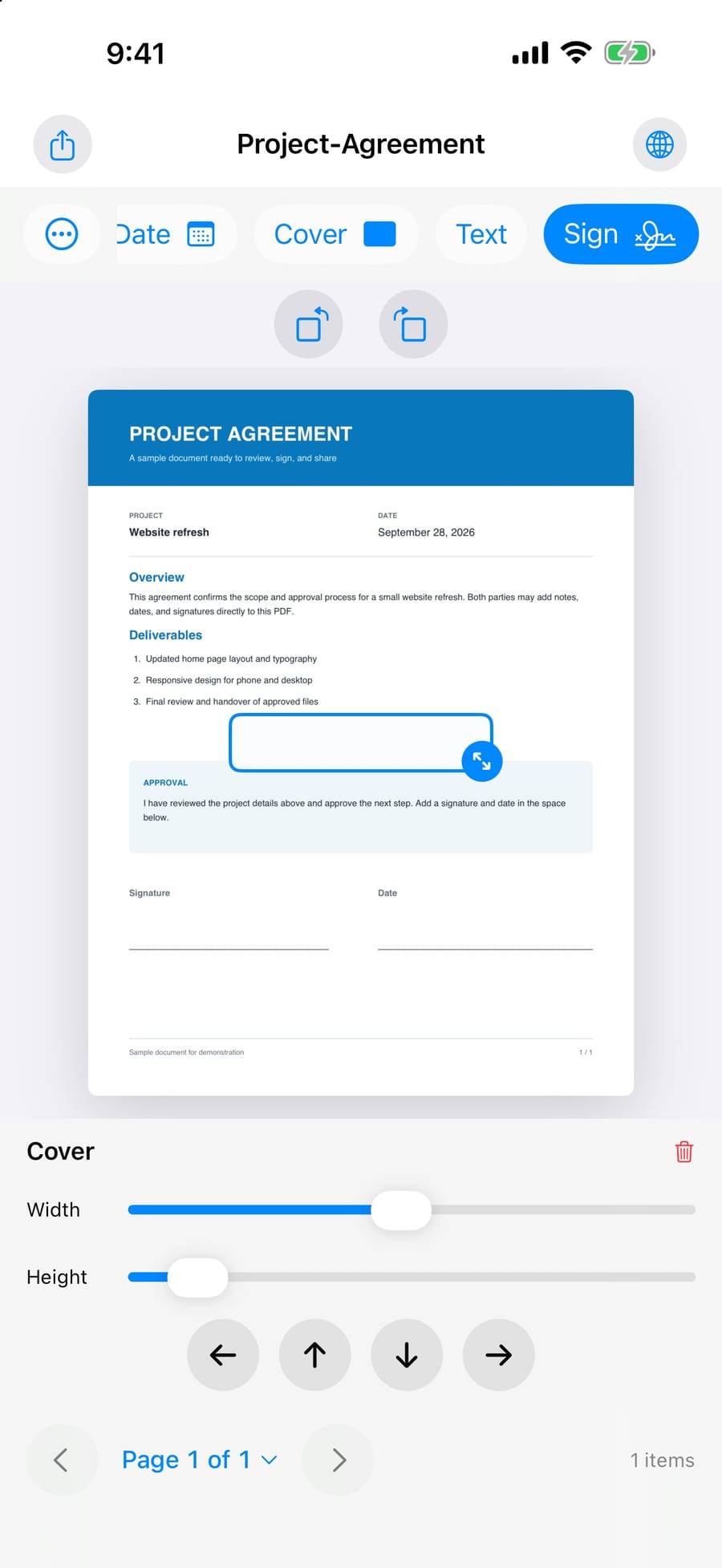
Place a cover over sensitive text. Covered pages are exported as images so the hidden text cannot be extracted or copied.
Send the finished PDF through the iOS share sheet to Mail, Outlook, WhatsApp, Files or any app that accepts PDFs.
Delete, reorder and rotate pages. Signatures, text and dates stay exactly where you placed them.
Combine PDFs, split by page range, and compress to a smaller file before sending.
Scan paper with the camera, turn photos into PDF pages, or export PDF pages as images.
Password-protect an exported copy, or remove the password from a document you own.
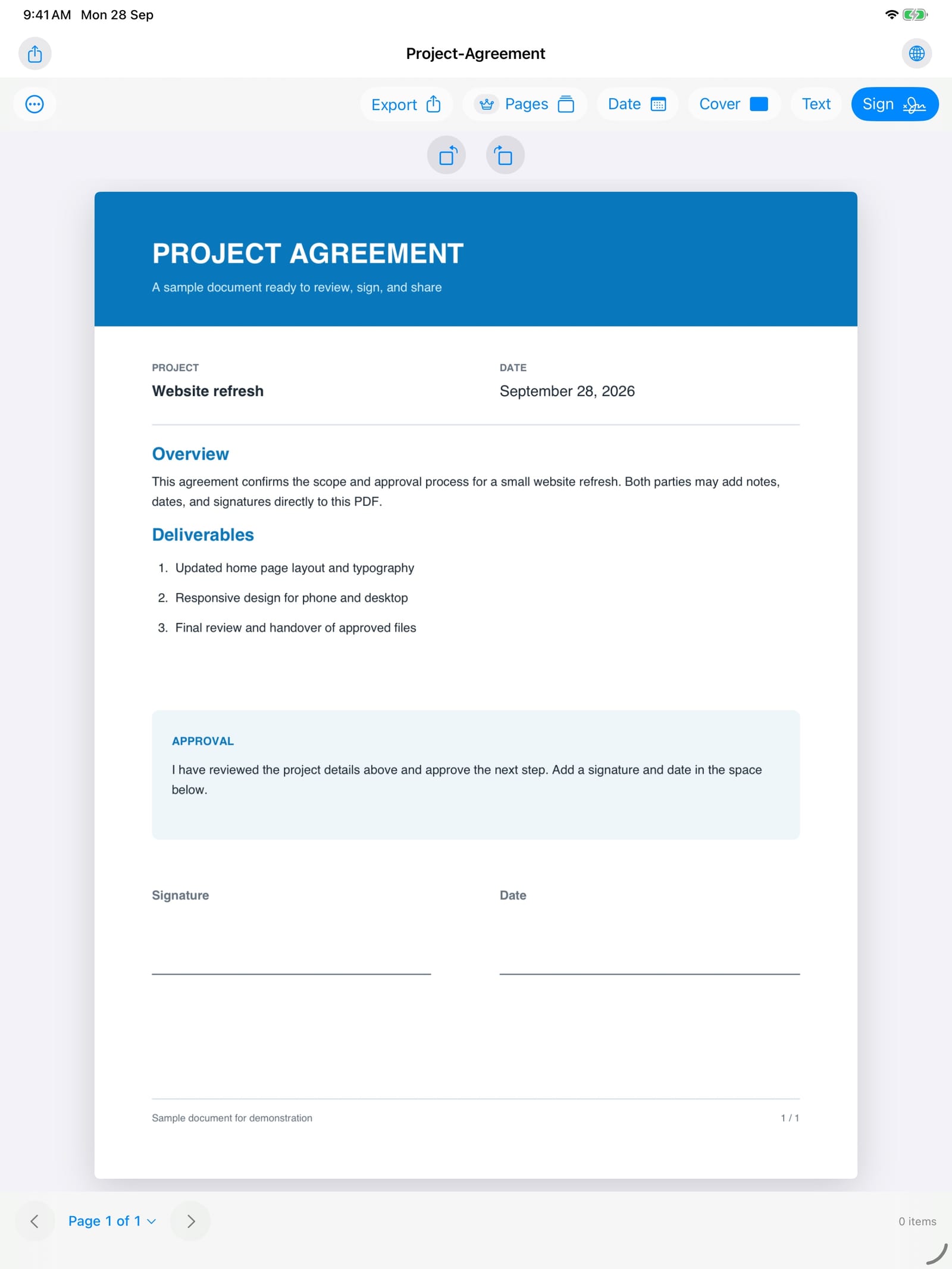
Editor and tool panels side by side. Drag pages, place signatures precisely with Apple Pencil, and review the whole document without leaving the workspace.
Signing, text, dates, covers and export are free. Pro unlocks the page and file tools. Prices below are for Saudi Arabia in version 1.1; purchases go through Apple and work on iPhone and iPad.
Renews every month. Cancel in your Apple Account settings.
Eligible new subscribers in Saudi Arabia may see a seven-day free trial. Apple confirms the offer and price before purchase.
One-time purchase with no renewal.
Prices in other countries may differ. The current price and any eligible trial appear in the App Store purchase confirmation. Subscriptions renew automatically until canceled. Signatures created in the app are visual marks on the PDF, not cryptographic digital-signature certificates.
Three rules every Qutubsi app follows. Not as a feature, as a default.
Files, signatures and scans are processed on your iPhone or iPad. Your documents are not uploaded for processing.
No account, no email, no onboarding wall. Open the app and start. Purchases are handled by Apple, restored with your Apple Account.
No analytics SDKs or ads. Optional font downloads contact an approved font host without sending your document or its text.
Qutubsi Apps is a one-person studio. Every app starts as a tool I needed myself, then gets built carefully enough to hand to someone else.

"I got tired of apps that ask for an account before they let you open a file. So I built one that doesn't."
Free to download on the App Store. Pro features unlock with a one-time purchase or subscription, managed by Apple.